Beer Pong Tournament College Party: A Plan for 16 to 32 Teams
Jump to the FAQA student party has a time slot, not an agenda. The tournament is supposed to start at nine, the room is empty by one, and in between eighty people want to know when they are up. That is where most nights fall apart — not at the bracket, but at the question “are we playing yet?”. This article shows how to schedule a beer pong tournament college party night realistically, which format matches your team count, and how sign-ups work without somebody guarding a clipboard all evening.
If you only want to know how to create a tournament at all, start with Organize a beer pong tournament — this article is about what makes this particular occasion different.
What sets a college party apart from a normal tournament
Three things drive the schedule:
Teams sign up on the spot. Unlike an announced cup, you do not know how many you will get until shortly before the start. Plan with a range, not a number.
Skill levels are miles apart. The same night has people who have played every week for three years against people holding a ball for the first time. A pure knockout throws half of them out after ten minutes — and they go home.
The night has a hard end. Closing time, the caretaker, the last train. A format that takes “roughly five hours” is not a format when your window is four.
How many teams fit into one night
The maths is simple: matches ÷ tables × match length. At 10 cups a match averages around 15 minutes; at 6 cups about 10.
| Teams | Tables | Format | Time needed |
|---|---|---|---|
| 8 | 2 | Double Elimination | approx. 1.5 h |
| 16 | 2 | Group stage + knockout | approx. 3 h |
| 16 | 3 | Group stage + knockout | approx. 2 h |
| 24 | 3 | Swiss System + knockout | approx. 3 h |
| 32 | 4 | Group stage + knockout | approx. 3.5 h |
Two tables for 8 teams is the rule of thumb student unions actually run — with one table an eight-team tournament turns into a three-hour wait, and waiting kills the mood. If you are tight on time, drop the cup count to 6 instead of turning teams away. It nearly halves the match length, and after the second beer nobody notices.
What you need in terms of equipment
Per table: 20 cups in play plus at least the same again as a refill, a cup of water for rinsing, and paper towels. Balls in triple the quantity — they reliably end up under the seating, and a tournament that pauses over a lost ball is annoying.
Space is the number people underestimate at parties: a set-up table is around 2.44 metres long and 61 centimetres wide, and so both teams can throw from behind it you need roughly 3.5 by 1.5 metres per table. Two tables side by side are therefore a good seven metres. Measure that before you plan away the dance floor.
Which format for which team count
Two formats are in the running for this occasion:
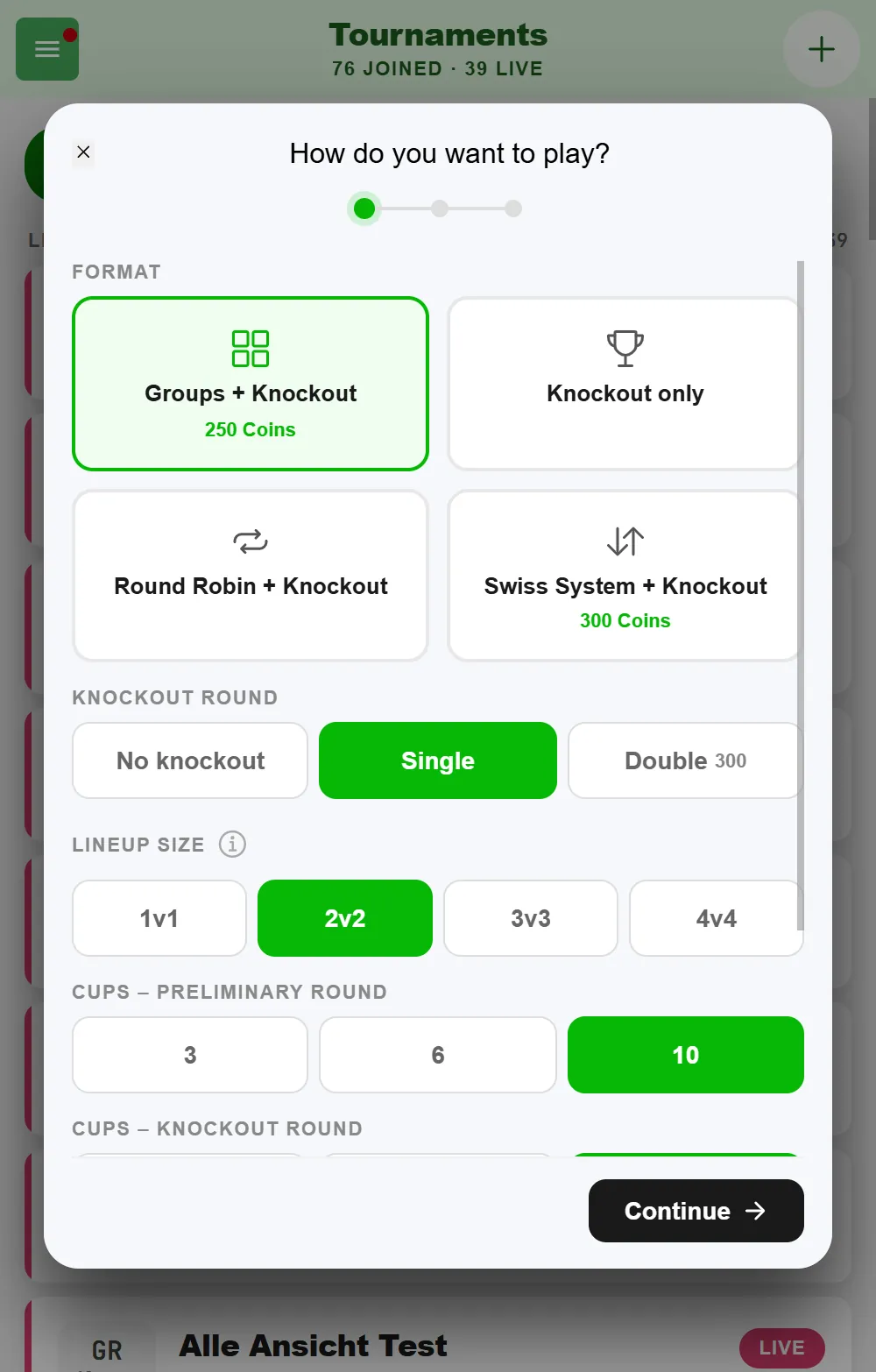
Group stage followed by a knockout is the safe pick from 16 teams up. Every team plays several matches in its group, nobody is out after one loss, and once the group stage is done you know fairly precisely how long the rest will take. The group stage needs at least 6 teams; with awkward numbers the groups end up different sizes, which is normal and not an error.
The Swiss System is the trick for the numbers that usually cause trouble — 13, 19, 27 teams. Each round pairs teams with a similar record. After four or five rounds you have a fair ranking without everyone having played everyone. For 20 to 30 teams in one night it is the most honest format.
Pure knockout only at 8 teams or fewer, and then please as Double Elimination — the loser bracket keeps every team in for at least two matches.
With a preliminary round, “Number of teams in the knockout stage” under “More options” decides how many teams go through to the knockout. On “Auto”, half of the teams advance, rounded down to 4, 8, 16, 32 or 64 - so 8 with 16 teams, and also 8 with 24 teams. The app shows the number right next to it, for example “Auto (8)”. Also handy: you set the cups separately for each stage — 6 in the group stage, 10 from the knockout on. That keeps the preliminary round short, and the games that decide it still get the full triangle.
Awkward team counts are not a problem
The most common reason people pad a list up to 16: the worry that 13 teams will break the bracket. They will not.
A pure knockout in BeerpongMe has exactly one condition — at least four teams. No power of two required. The bracket is built from the real team count and the missing slots become byes that count as won straight away. With 7 teams you get an eight-slot bracket with one randomly placed bye.
You do not have to send anybody home, and you do not have to talk anyone into inventing a filler team.
Sign-ups without a clipboard
The part that regularly gets out of hand at parties. Three approaches that work:
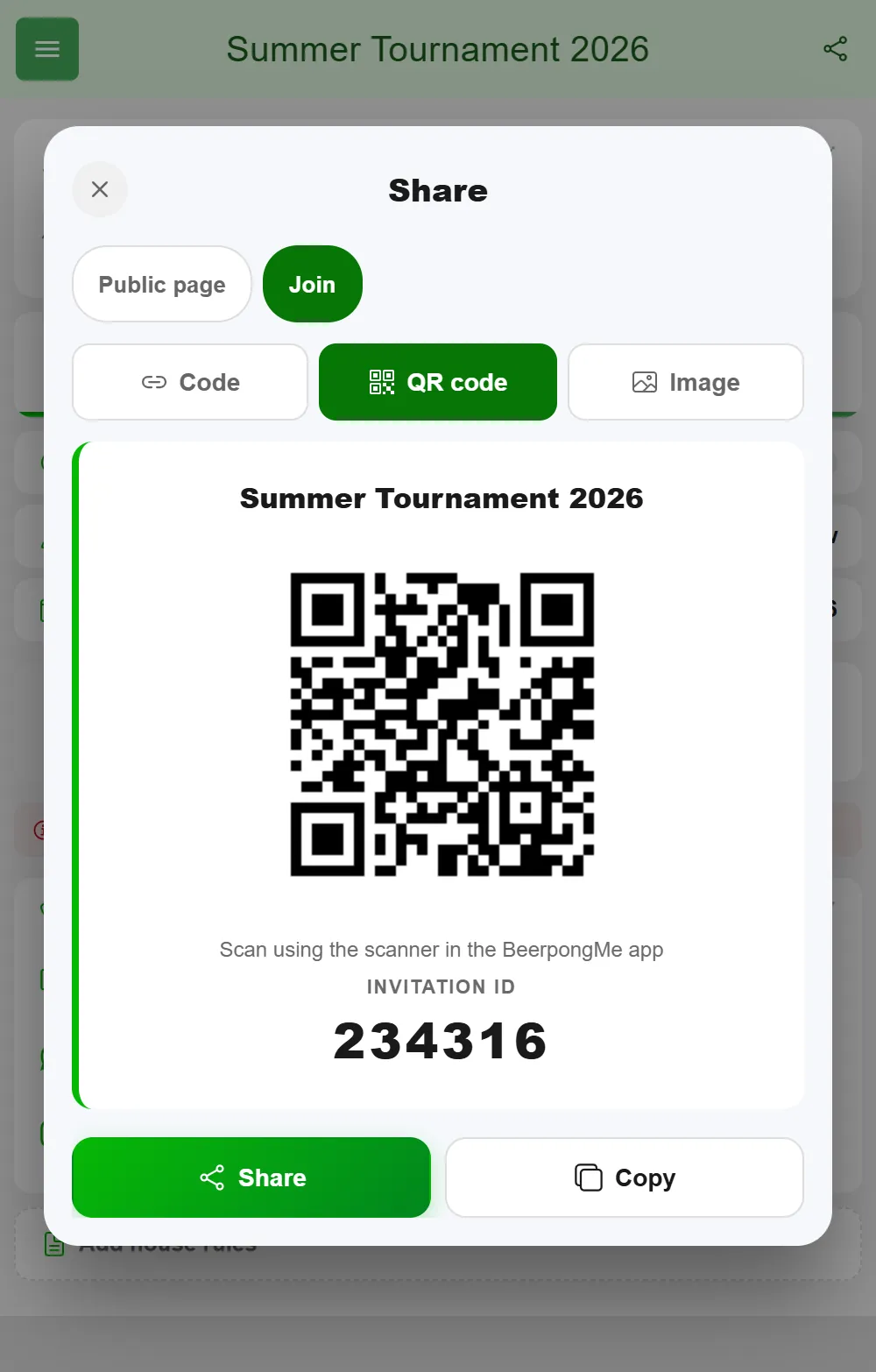
- Code and QR code from the tournament — print them large and put them up at the door, with the hint “scan in the BeerpongMe app”: the QR code only works with the scanner in the app, not with the phone camera. A ready-made invitation card to print is under “Share” → “Join” → “Image”. Anyone with the app joins on their own and enters their team name.
- Local teams for everybody else. Quickest as a list while you create the tournament, one line per team: team name, then the players, separated by commas. Anyone who turns up later gets added in the tournament under Teams via “Local Team”. No account, no install, no argument. The details are in Beer pong tournament with players who have no account.
- Enter them yourself at the sign-up table while you collect the entry fee. That is the one moment people stand still anyway.
Entry fees keep running through your own cash box — BeerpongMe does not handle money between you and the players.
Step by step: setting up the night
- Create the tournament and pick lineup size 2 vs. 2 in the setup. It cannot be changed after the start, so think about it once.
- Set the number of cups: 10 for the classic night, 6 if you expect more than 20 teams.
- Choose the preliminary round — group stage from 16 teams, Swiss for awkward numbers, none at 8.
- Write the house rules. The free-text field takes up to 2000 characters. Put in everything that otherwise gets argued about at the table: whether bounce shots count double, whether blowing is allowed, what happens to knocked-over cups. Every player sees them inside the tournament.
- Add two or three people as referees. They can start matches and enter results without playing themselves — that is the difference between a night that runs itself and one where the organizer types all evening.
- Start the tournament once sign-ups are closed.
Once it runs, the bracket advances itself with every result. Whoever just finished immediately sees who they play next.
Putting the standings where everyone sees them
If you have a projector or a TV in the room, use it: bracket on the wall, and “when are we up?” stops being a question. With 16 or 24 teams on several tables, the schedule is the better choice for the wall: set up your tables beforehand in the “Tables” tab of the tournament settings, and it shows table and approximate start time for every game, and each team finds its game via the search. How that works is covered in Organize a beer pong tournament.
People can follow along on their own phones — including those not playing: new tournaments are public by default, so the tournament page is readable without a login, with schedule, bracket, results and standings. It refreshes itself while the tournament runs, roughly every ten seconds. After the final, “Share results” on the summary creates a ready-made graphic with the podium for your story.
If you do this every semester
The most common request from student unions that run this regularly: a ranking across several tournaments, a semester table, who was best over the year.
BeerpongMe cannot do that today. Each tournament stands on its own — there is no link between two tournaments, no series table and no points by finishing position. What you do get: every single tournament stays available afterwards, with bracket, all matches and the standings. So you keep the semester ranking yourself, for instance in a spreadsheet you update with the placings after each night. What does help: “Run Tournament Again” on the summary sets up the next tournament in one go, with the same settings and the same local teams.
If you want to play against each other continuously rather than in tournament form, a beer pong league fits better — it runs over weeks and has a rolling table. It has no group stage and no bracket, though, and local players without an account do not exist there.
Who this article is not for
If your group is more like eight to sixteen people than a party night with open sign-ups, Beer pong tournament bachelor party is the better fit — it has the plan for small team counts. And if you do not want a tournament at all, just a few matches tracked on the side, a quick match is enough: start the match, tap the cups, done.
Frequently asked questions
How many teams fit into one college party night?
With two tables and a four-hour window, 16 teams are comfortable and 24 work on a tight schedule. Past 24 teams you need a third table, or people spend more time standing around than playing. Budget roughly 15 minutes per match at 10 cups.
What do I do with an awkward number like 13 or 27 teams?
Nothing. BeerpongMe builds the knockout bracket from the real team count and fills the missing slots with byes that count as won straight away. A pure knockout tournament only needs at least four teams — no power of two required.
Does everyone have to install the app?
No. For people without an account you add local teams: type the names, done — or paste them as a list, one line per team. They play normally and appear in the tournament standings, but they do not collect stats beyond that night.
Can we collect entry fees through the app?
No, BeerpongMe does not handle money between you and the players. Collect entry fees the way you always have, at the door or the sign-up table — the app takes care of the bracket, the schedule and the results.
Can people without an account follow the standings?
Yes, as long as the tournament is public — which is the default for new tournaments. The tournament page is then readable without a login, with bracket, results and standings, and it refreshes itself while the tournament runs.