Play Beer Pong Without an Account - Guests, No App Install
Jump to the FAQEvery beer pong night has them: the two people who will definitely not download an app for one single tournament. And the one whose phone has been at 4% since the third beer. If you want to run your event digitally, that leaves you the choice of throwing those people out, keeping score on paper - or having an answer.
BeerpongMe needs exactly one account: yours. Everybody else can play without registering or installing anything. This article covers the three ways to do that, and where each of them stops.
Three ways to let somebody play without an account
| Way | For | Who taps? |
|---|---|---|
| Local player | Individual people without an account who belong to a team | You, or whoever runs the team |
| Local team | A whole crew without accounts in a tournament | You, or whoever runs the team |
| Guest by QR scan | Spontaneous rounds at a table in a bar | The guest, on their own phone |
The difference in one sentence: local players are names you carry along, guests hold their own phone.
Local player: type a name, done
A local player is exactly that - a name. No password, no email address, no confirmation mail. You enter them where they’re supposed to play, and they count as normal for that tournament or that round.
There are two places to do it.
In a spontaneous round (Fast Game). In the lobby you tap a free slot and type the name. These players play on the same device - handy when there are four of you but only one phone anywhere near the table. Setting up a round like that is covered under Start a Fast Game.
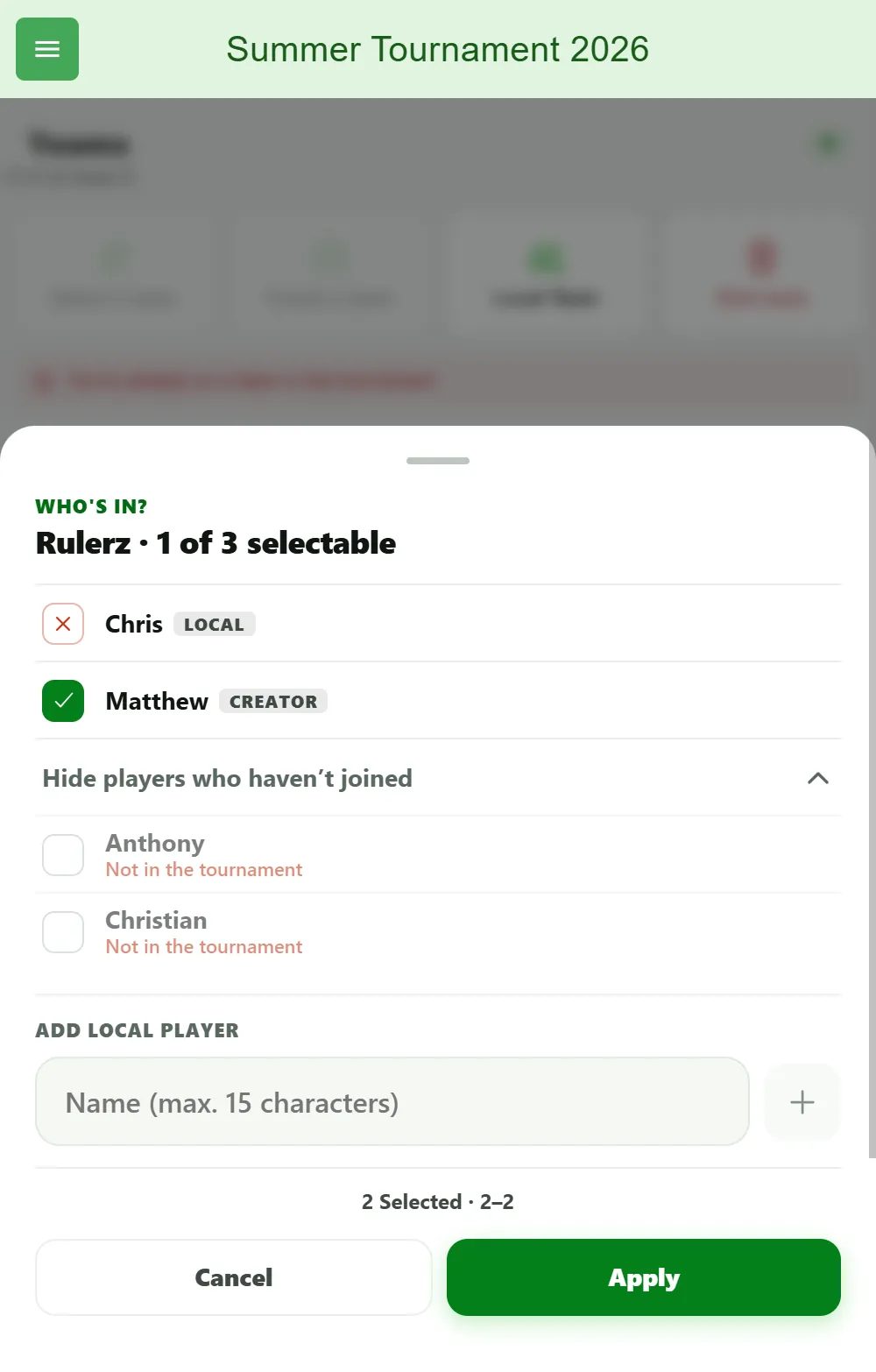
In the lineup of a tournament team. When an otherwise normal team needs a stand-in who doesn’t exist in BeerpongMe, you fill them straight into the lineup: in the tournament go to Teams → the pencil icon on the team → “Add local player” → type the name. The rest of the team stays in with their accounts as usual.
Local team: the whole crew without accounts
When it’s not just one person but the whole team turning up without the app, you create a local team. It lives in this one tournament only.
- Open your tournament and go to Teams.
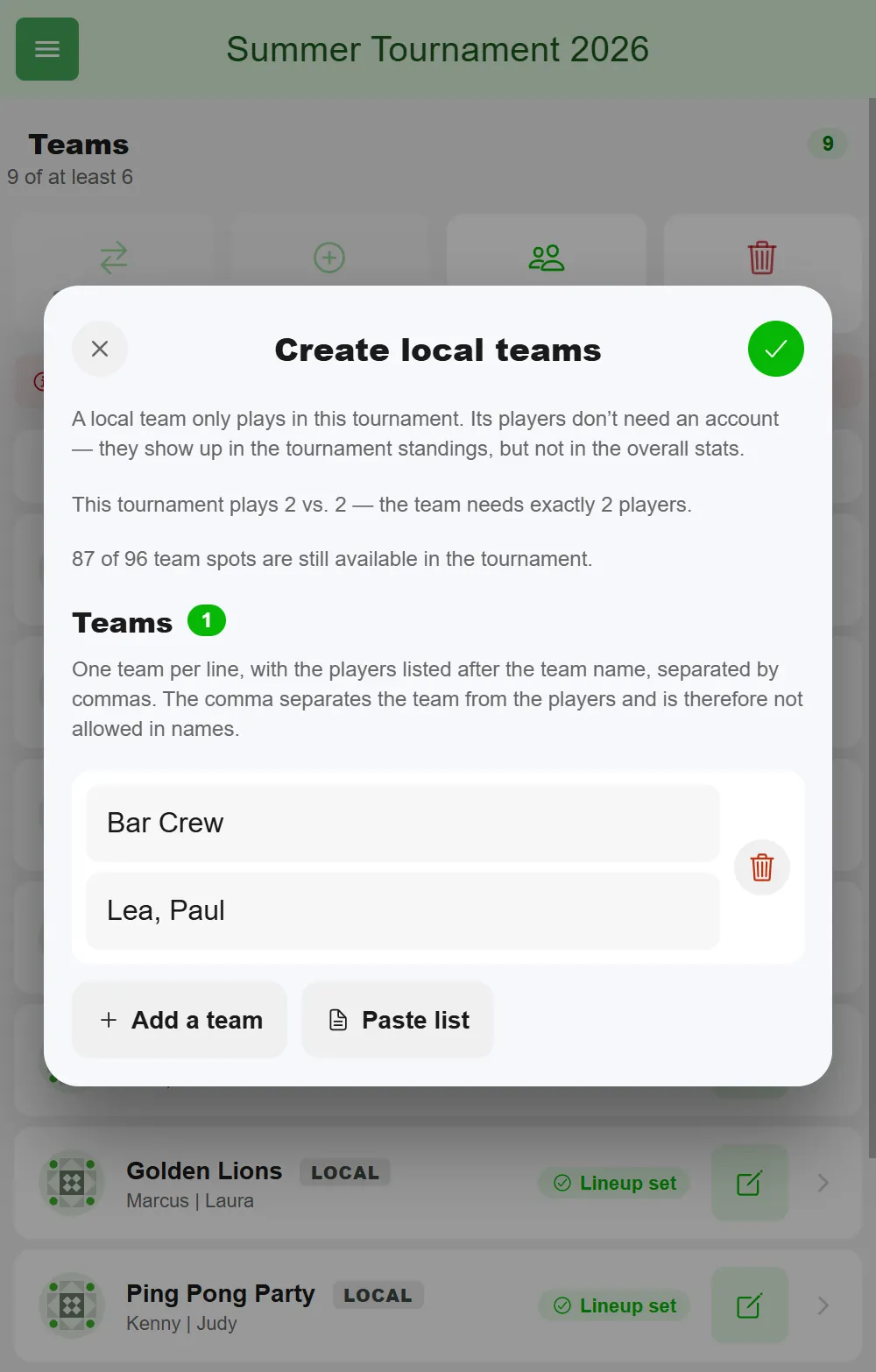
- Tap “Local Team”. The “Create local teams” dialog opens.
- Enter the team name at the top and the players below it, separated by commas - for example
Lea, Paul. Each player name can be up to 15 characters long. - For more teams, tap “Add a team”; “Paste list” lets you drop in a whole list at once, one line per team. The dialog shows how many of the tournament’s 96 team spots are still free.
- Tap the checkmark in the top right. The teams then sit in the team list like any other, just with a “Local” tag.
Two rules go with that:
- A local team contains local players only. You don’t mix registered players in - they compete with their own team.
- If your tournament runs a fixed lineup size - 2 vs. 2, say - the local team needs exactly that many players. The app tells you so while you’re creating it and won’t let you save until it fits.
Names have to be unique within the tournament, both for teams and for players. So two people called “Max” won’t work - which isn’t red tape but exactly what stops the argument about which Max won that round. Use “Max K.” and “Max Schmidt”. Commas aren’t allowed in local names - the next section explains why.
Lots of local teams at once: paste them as a list
With twelve teams from the group chat, going through “Local Team” one by one gets tedious. It’s quicker right when you create the tournament: step two, “Who’s in?”, has a “Teams” field where you type or paste all teams as a list.
- One line per team: the team name first, then the players, all separated by commas - for example
Cup Crushers, Max, Lisa. - As you type, the app counts how many teams and players it recognized and whether the minimum for your format is reached.
- Because the comma is the separator, it can’t appear in team or player names - not even when you create a single local team.
- A tournament holds up to 96 teams in total.
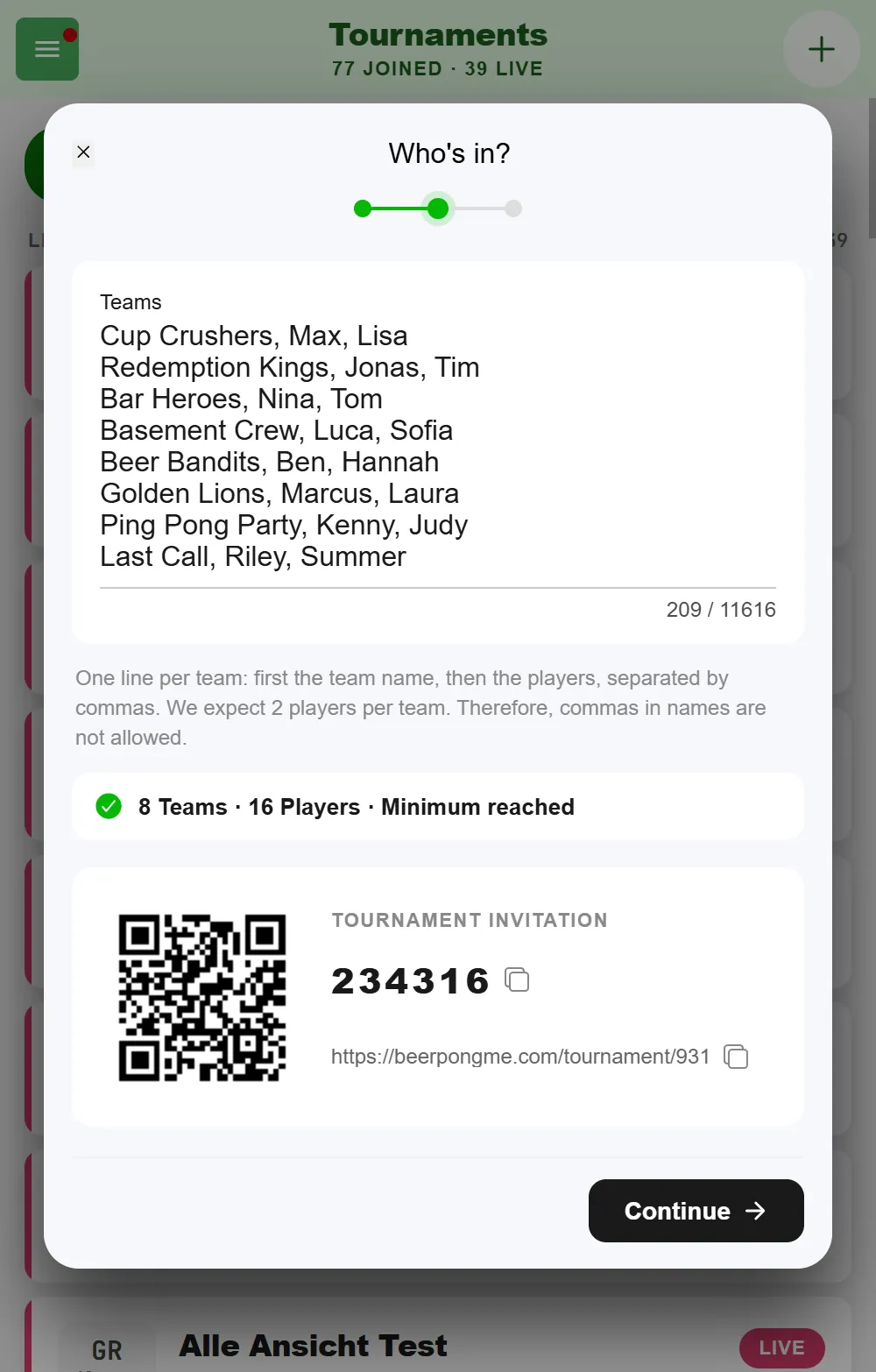
Every team on the list becomes a local team, with the rules above. Anyone who does have an account joins on their own with the QR code underneath - you can mix both in the same tournament.
Guest by QR scan: own phone, no account
The third way is the most comfortable one, but it only works at tables you’ve set up beforehand: you put a QR code on the table, and whoever scans it is in straight away - created as a guest in the background, no registration. The difference to a local player is that the guest holds their own phone and can enter hits themselves.
For bars and clubhouses that’s the genuinely interesting route, because it works entirely without you. Creating tables, printing codes and what happens on a scan is covered in full in Beer pong table QR codes.
Watching works without an account anyway
Don’t forget: watching requires nothing at all from anyone. Public tournaments and leagues have an ordinary web address you can share - bracket, live score, standings and statistics are all visible there without logging in. So the parents who want to know how it’s going don’t need an account, they need a link.
Where the limits are
For the sake of honesty, so you’re not surprised on the day:
- No lasting statistics. Local players appear in the tournament standings and are scored there as normal. But no profile with a hit rate, win streak and history across several events is created - there simply is no account for it. Anyone who wants to keep their numbers should register beforehand; see Track Beer Pong Stats.
- This one tournament only. A local team belongs to exactly one tournament. If you run the same tournament again with “Run Tournament Again”, the local teams are carried over into the new one - but that doesn’t give them shared statistics across both nights. For a crew that competes together more often, a real team is worth it.
- It doesn’t work in a league. Local players and teams exist in tournaments and in Fast Game. A league runs for weeks and keeps a permanent table, so every member needs a profile of their own.
- Local players don’t appear in a table’s leaderboard. To get onto the daily leaderboard at a table with a QR code, you have to have scanned yourself.
- Somebody has to tap. Local players don’t enter their own hits. In a four-person round on one device that’s fine; across a whole tournament you should decide who’s responsible for it.
What fits when?
A bachelor party or a company do where half the people will never open the app again: local teams, no bad conscience. A tournament in the scene, where people want to collect their statistics: accounts, with local players only for last-minute stand-ins. A bar with walk-in trade: table QR codes, so guests serve themselves.
How to set up the tournament around all this is covered under Organize a beer pong tournament.
Frequently asked questions
Does everybody in a beer pong tournament need an account?
No. In BeerpongMe one account is enough - the organizer's. Everyone else can be entered as a local player, with nothing but a name, no registration and no app install. They play in the tournament as normal.
What is the difference between a local player and a guest?
A local player exists only as a name in the tournament or the round and is carried along from somebody else's device. A guest is created by scanning a table QR code, holds their own phone and can enter hits themselves.
Do local players get statistics?
Within the tournament, yes - they show up in the tournament standings. They don't build lasting player statistics beyond it, because there is no profile for the numbers to attach to.
Can you play in a beer pong league without an account?
No. Local players and local teams exist in tournaments and in a spontaneous Fast Game round. A league runs for weeks and keeps a permanent table of standings, so every team member needs a profile of their own.