Create and Manage a Beer Pong League - Step by Step
Jump to the FAQStarting your own beer pong league is a lot easier in 2026 than it was just a few years ago - provided you use the right tool. Instead of spreadsheets, WhatsApp groups, and manually maintaining a table, BeerpongMe takes care of the organizational side of your beer pong league: inviting teams, recording matches, and automatically calculating the standings. This article shows you how to create a beer pong league in a few minutes and how to manage it across a full season - and what to settle as a league founder before you start.
What Is a Beer Pong League?
A beer pong league is a recurring series of games with a fixed group of teams and a standings table that develops over the course of a season. Unlike a one-off tournament (see Organize a Beer Pong Tournament), a league is all about long-term comparison: which team is actually the strongest by the end of the season? Which team is the most consistent? Who has the best hit rate?
Typical league formats in the beer pong world include:
- Shared-flat / roommate league - 4–6 teams from your circle of friends, one season per semester
- Student league - spanning multiple universities, 8–16 teams
- Bar league - a game night every few weeks at the same bar, regulars’ teams
- Company league - teams from different departments, season lasting a few months
- National leagues such as the BPBL (Bierpong Bundesliga)
BeerpongMe works as a digital management platform for all these league sizes.
Prerequisites: What to Clarify Beforehand
Before you create a league in the app, you should think through two things:
- How many teams should take part? At least 4, ideally 6–10.
- How should the standings be sorted? BeerpongMe can rank by points, by cups hit, or by wins (more on this in Track Beer Pong Stats).
Step by Step: Create a League in BeerpongMe
Here’s how to proceed in the app:
- Log in at beerpongme.com. If you don’t have a BeerpongMe account yet: registration takes less than a minute.
- Go to “Your Leagues” in the menu.
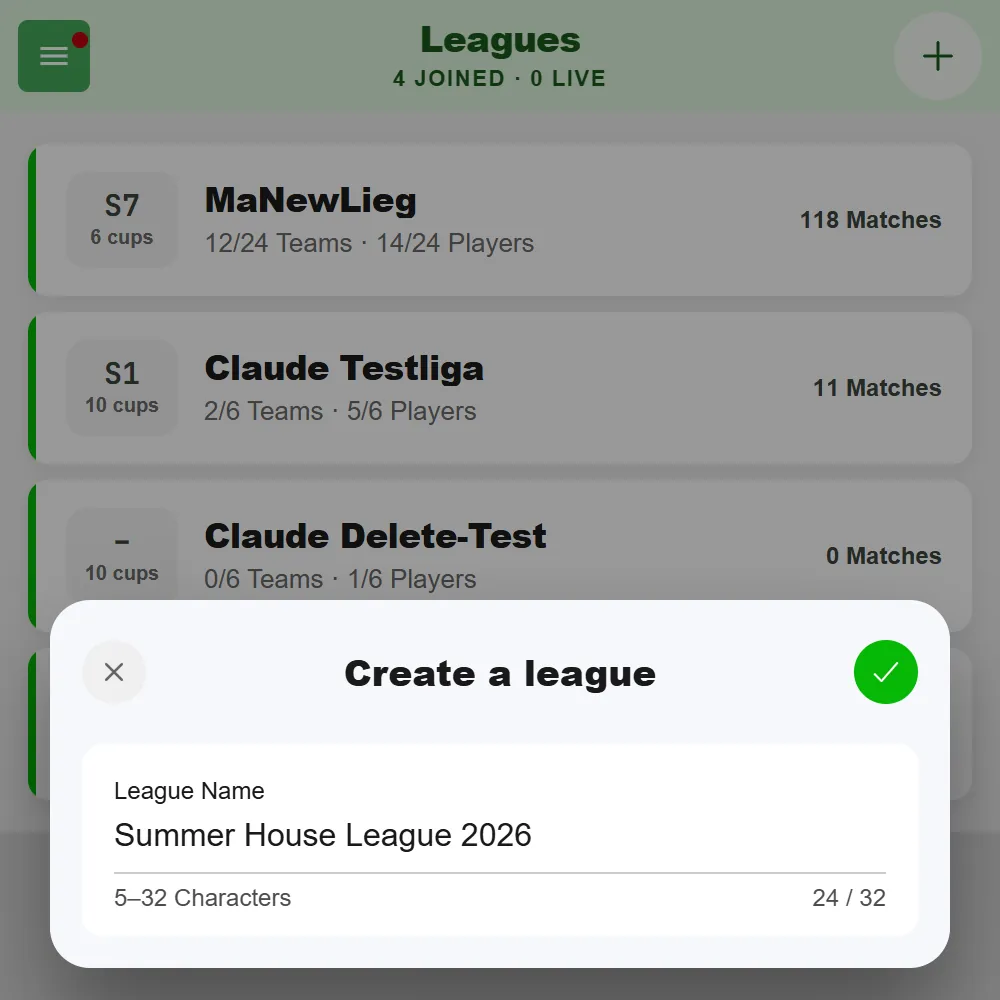
- Tap “+” in the top right, choose “Create a league”, and give your league a name of 5 to 32 characters (e.g., “Roommate League Summer 2026”).
After creating it, you’ll land on the league page. There you can adjust further details in the settings.
Manage Your League: Visibility, Ranking, Season
In the league settings you determine:
- Visibility - public (listed in the Discover section) or private (visible only to people you invite)
- Joining - whether new teams are allowed to join the league
- Ranking - whether the standings are sorted by cups hit or by wins (or, if points ranking is enabled, by points)
- Seasons - with start and end dates, to divide the league into periods
What Rules Do You Play By?
On the same settings page you decide how your league is played. These rules then apply to every match in the league - nobody has to renegotiate them before the first throw:
- Cup count - 3, 6 or 10 cups per team. 10 is the classic variant, 6 and 3 are considerably quicker.
- Rerack - whether the remaining cups may be re-formed. Off means never. Fixed thresholds re-forms automatically as soon as 6 or 3 cups are left. Free choice leaves the timing and the formation to the players, limited by the number of reracks per team. With 3 cups there is no rerack - you go straight to overtime there.
- Last cup to the front - if only one cup is left, it may be moved to the tip, once per rack and team.
Everything the app can’t count for you goes into the house rules - a free text field on the league page that every participant can see. Typical candidates: “bounce counts double”, “no reaching in”, “elbows behind the edge of the table”.
Inviting Teams
Other teams join your league with the invite code or the QR code - there is no join link. You’ll find the code and the join QR under “Share” in the header of the league page, under “Join” - the QR code is scanned with the scanner in the BeerpongMe app. For a public league there is also the “Public page” with a link and a QR code for the phone camera - that lets people view the league, but not join it. Public leagues also show up in the Discover section - that’s where others can find you, but to actually join they still need the code or the QR. Every player can be active in multiple teams and leagues at the same time.
A team can be signed up by whoever created it - or by a team admin with the “Register Team” permission. Once lots of teams are in the league, the search field in the Teams tab helps you find the right one quickly.
Playing Matches & Recording Results
League matches are played live in BeerpongMe. How it goes:
- Somebody opens the league’s lobby. Everyone who is currently there sees each other in it.
- A team is picked for home and for guest. The lobby shows you which teams are available and which aren’t - a team already in another match is locked.
- The lineup is set for each side: who from the squad is throwing today? That’s a separate selection, independent of how many people are in the team. Squad on the left, lineup on the right - you see both next to each other.
- Start a match. As long as something is missing, the button tells you what - for instance “One person is in both lineups” or “One lineup has too few players”.
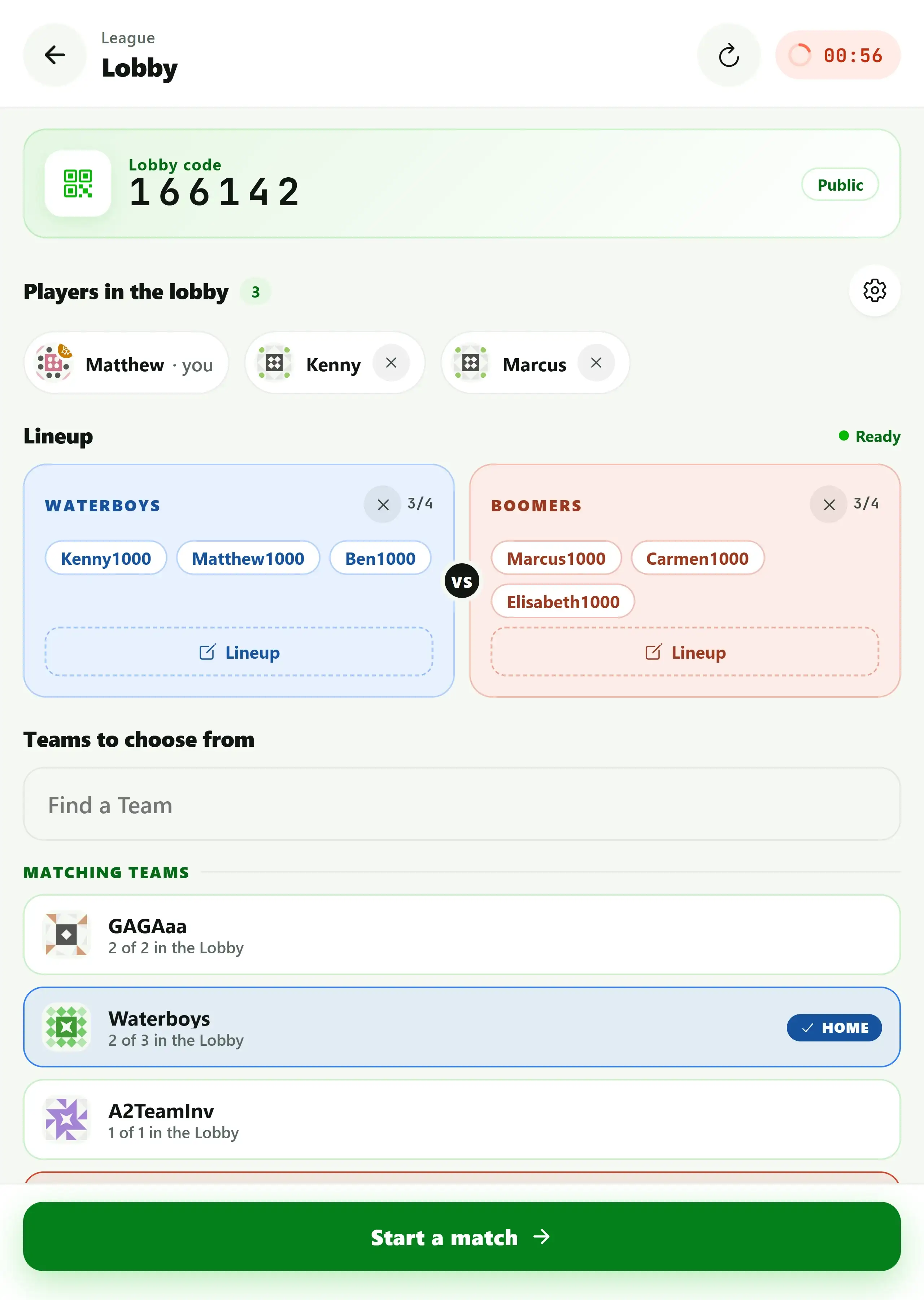
At the top is the lobby code: type it in and you land in the same lobby - handy when not everyone is standing next to each other. For each team you also see how many of its members are currently there (“2 of 3 in the Lobby”). The lobby has a lifetime; if nothing happens, it closes itself.
In the match you then track every throw: hits, throws, hit rate, and special throws automatically flow into the statistics. Since version 3.0, league matches run on the same match screen as a spontaneous Fast Game - with the cup pyramid, live sync for everyone involved, and guided flows for rerack, redemption and overtime.
The standings update automatically after every match played - including table position and the configured ranking sort order.
For the WhatsApp group or the league’s Instagram account, turn the table into an image: “Share” on the league page offers the leaderboard and the ranking by cups hit for the current season as ready-made graphics, in four formats from Story to landscape. After every match, “Share results” on the match screen adds the matching result image. Whether others besides you may share such images is set with the “Content sharing” switch in the league settings - it is on by default.
Using Seasons
The season feature lets you divide your league into periods with start and end dates. This way, you can, for example, evaluate a summer season and a winter season separately. The data remains permanently available - you can look back later to see exactly who was in the lead in a past season. Learn more about the tracked values in the article Track Beer Pong Stats.
Starting a League vs. Joining an Existing One
You don’t necessarily have to start your own league. BeerpongMe has a Discover section where public leagues are listed. If you want to join an existing beer pong league, you can find it there and then join with the invite code or QR code the league organizers hand out. The only difference is whether you’re the league admin yourself or taking part as a player team.
Frequently asked questions
How many teams do I need for a beer pong league?
At least 4 teams make sense so a meaningful standings table emerges. 6 to 10 teams per league is optimal.
Can I run several leagues in BeerpongMe at the same time?
Yes. Every player can be a member of multiple teams and leagues at the same time. League standings, results, and statistics stay cleanly separated.
What does it cost to create a beer pong league in BeerpongMe?
Creating and running a league is completely free. Premium features like follow notifications and advanced player statistics are included in the optional BeerpongMe Premium subscription.
Does every team have to field the same players in every match?
No. The lineup is set fresh before every league match: from the team's squad you pick the people competing that evening. So a team with 15 members can turn out in a different combination every week.
Is my league public or private?
You decide. In the league settings, you determine whether the league is publicly discoverable in the Discover section or only visible to people you invite. Either way, teams join with the invite code or QR code.