Import a Beer Pong Tournament: Teams and Groups from Tournify
Jump to the FAQIf you’ve already prepared a beer pong tournament in another tool, you don’t want to type in 24 teams again. That’s why you can import a tournament into BeerpongMe: you upload the export, check the names and land in the normal setup flow with everything already filled in.
Tournify comes first, because many organizers of beer pong tournaments manage their teams there. This article shows how the import from Tournify works, what it brings over and what it doesn’t (yet). More providers are planned. For a feature and price comparison of the two tools, see Tournify or BeerpongMe.
What the import brings over
| From Tournify | In BeerpongMe |
|---|---|
| Teams and players | local teams, meaning teams whose players are entered by name only and don’t need an account |
| Group stage, round robin, knockout only | the matching format in the setup flow |
| Group assignment | the same groups at the start, even with groups of different sizes |
| Home and away rounds | home and away rounds |
| Size of the knockout round, third-place match | the same settings |
| Fields | tables with the same names |
Not carried over:
- Times and date. BeerpongMe calculates the times from its own table settings. You enter the planned start yourself.
- The exact knockout pairings. Who meets whom in the quarterfinal is set by BeerpongMe based on the group standings. In a knockout-only tournament, BeerpongMe also sets the pairings and byes itself.
- Placement matches, for example for 5th to 8th place. The preview points this out.
- The number of cups. Tournify doesn’t know cups, only points. You choose it in the preview.
Step 1: Export from Tournify
You need one of two files, or both.
Schedule export (brings teams, groups, format and tables):
- Schedule the tournament in Tournify: create at least one field, then “Schedule”. The export only contains scheduled matches; without a schedule it’s empty.
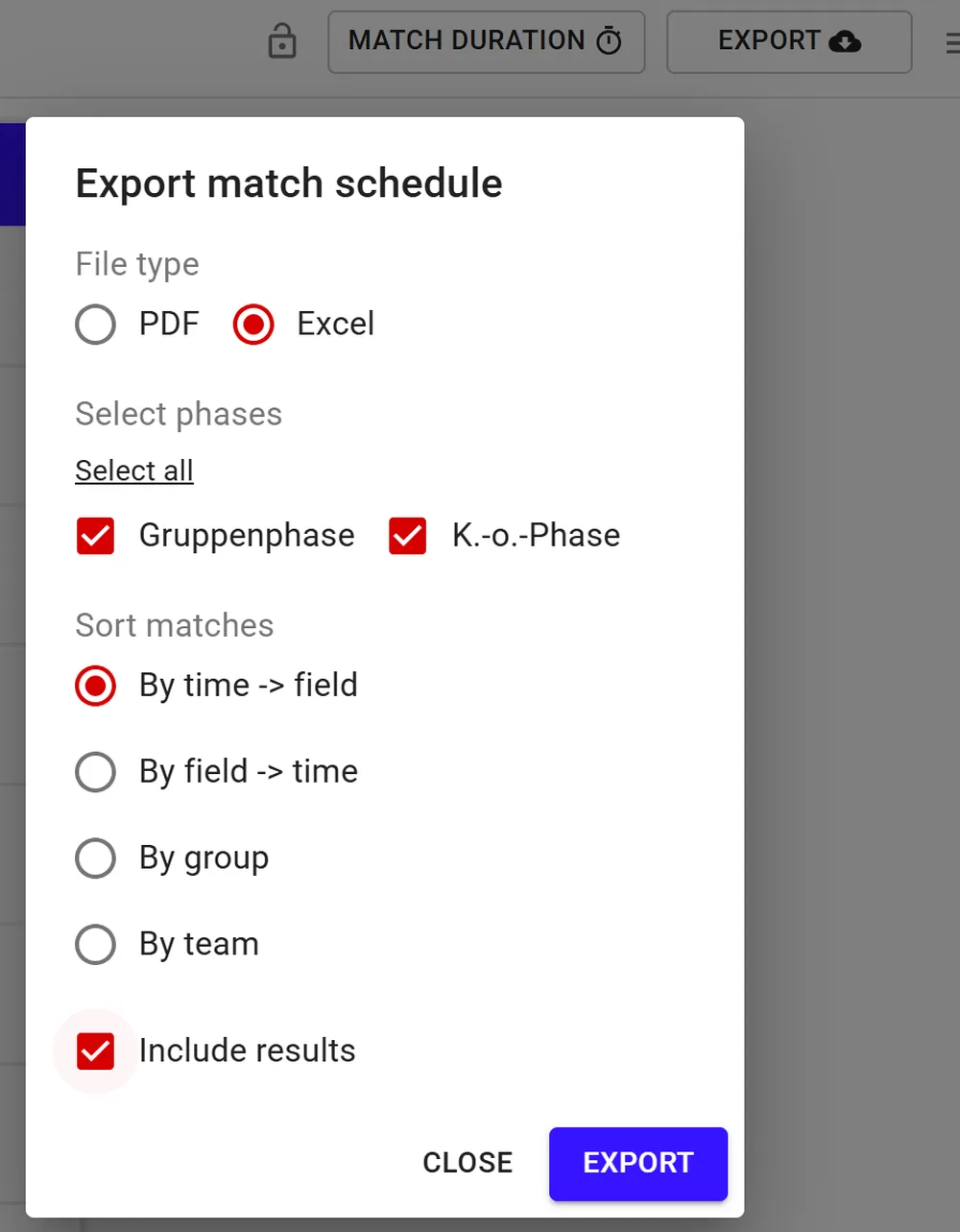
- Go to Schedule → Export → Excel.
- Select all phases and the sorting “By time → field”. The sortings “By group” and “By team” don’t work.
- Turn on “Include results”. That’s the only way for BeerpongMe to check that the tournament hasn’t started yet. “Include player names” is optional but brings the players along. The option only appears if your tournament has players.
Teams export (brings teams and players):
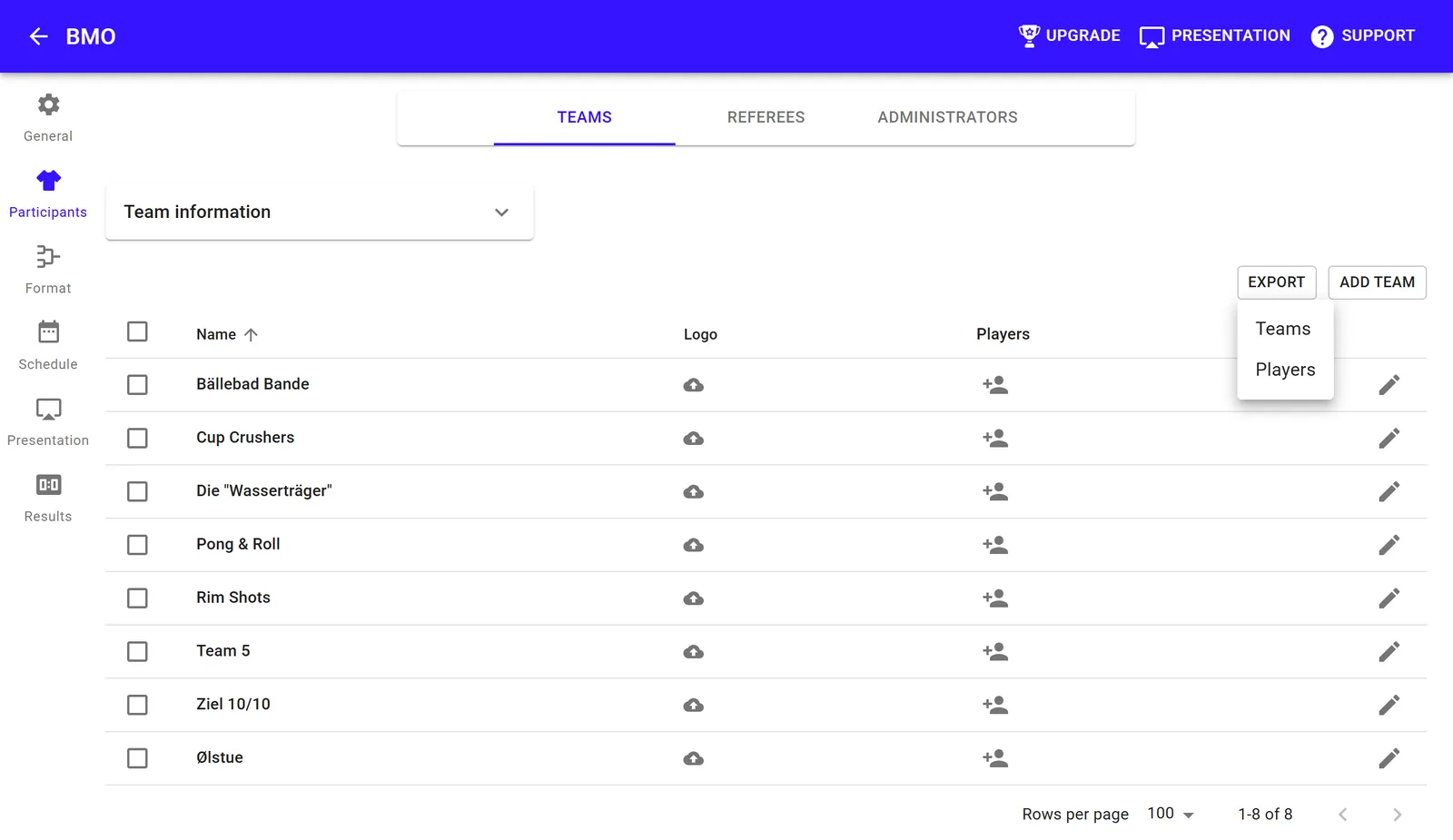
- Go to Participants → Export → Teams.
- The teams export works on its own, too, if you haven’t scheduled the tournament in Tournify. You then choose the format in BeerpongMe yourself.
If you upload both, the structure comes from the schedule and the players from the teams export. They’re matched by team name.
Step 2: Upload to BeerpongMe
- Go to “Your Tournaments”. On a computer, the “Import” button sits at the top next to “Join” and “Create a tournament”; on a phone, you’ll find “Import” in the “+” menu.
- Choose Tournify as the provider. More providers will follow.
- Under “Schedule” and/or “Teams Export”, select the Excel file. A file can be at most 1 MB.
- Tap “Preview”.
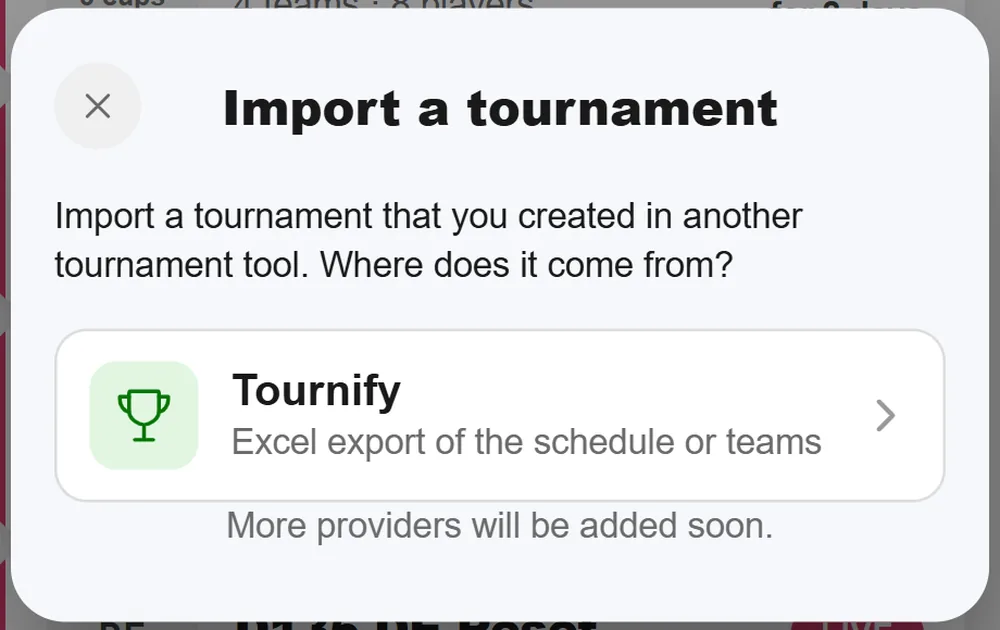
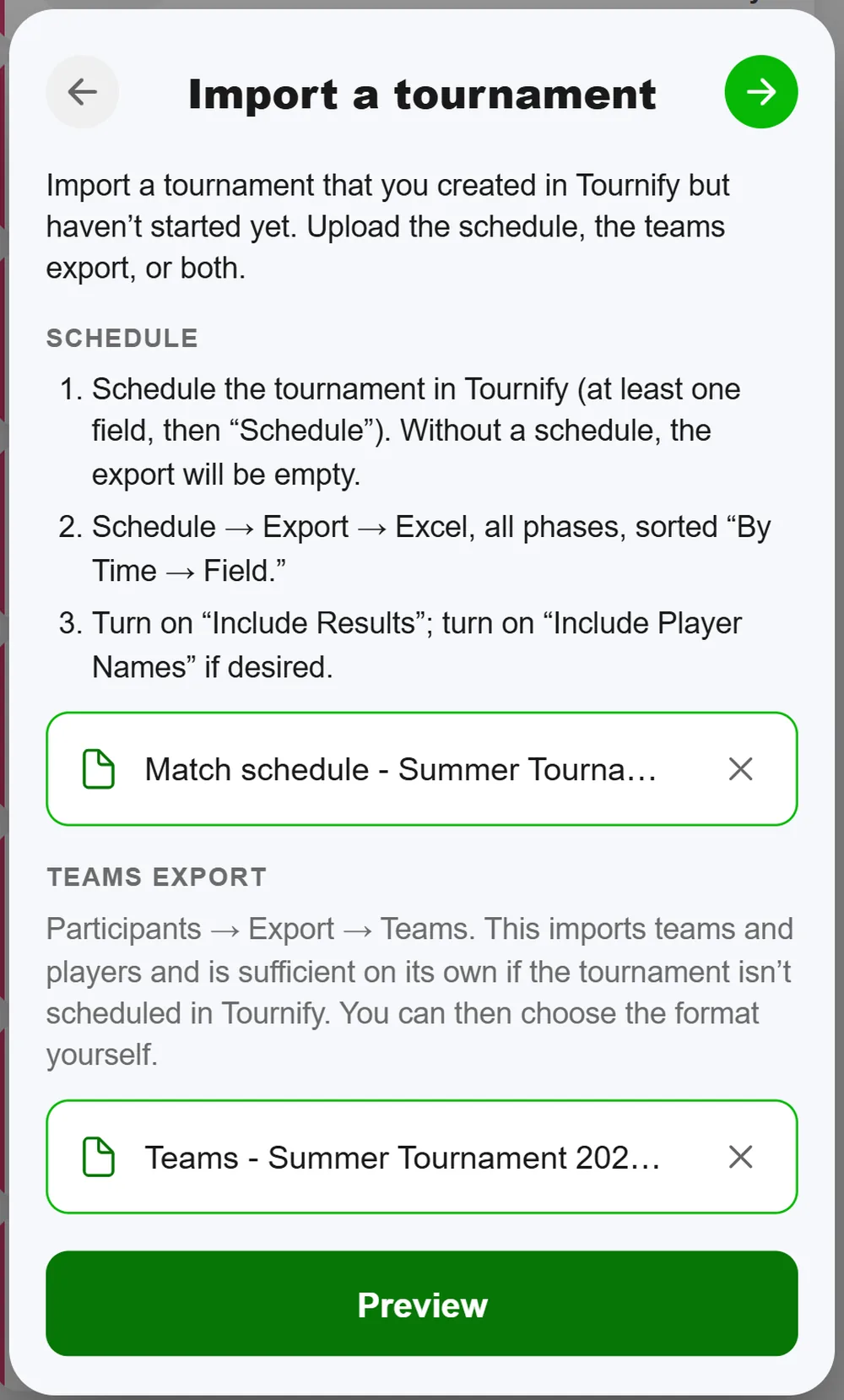
The files aren’t uploaded in the process. BeerpongMe reads them directly on your device; only the tournament you create at the end goes to the server.
Step 3: Check the preview and fix names
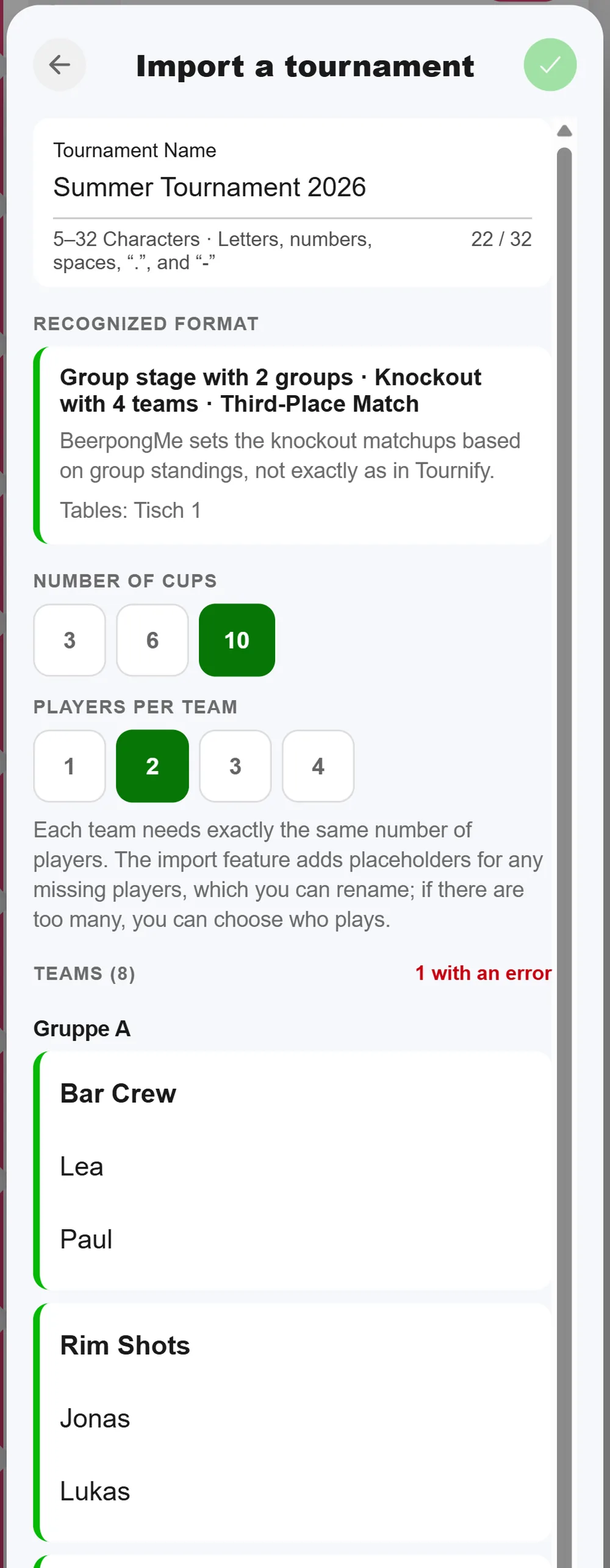
The preview shows what BeerpongMe read from the file:
- Tournament name, 5 to 32 characters
- Recognized format, for example “Group stage with 2 groups · Knockout with 4 teams · Third-Place Match”, plus the tables
- Number of cups, which you choose here
- Players per team: every team needs exactly this many players. The import fills in missing ones as placeholders you can rename. If a team has more players, you tick who plays.
- the teams, sorted by group, every name editable directly
If your Tournify tournament has several divisions, for example men and women, you pick one at the top. One import creates one tournament. For the second division, import the files again.
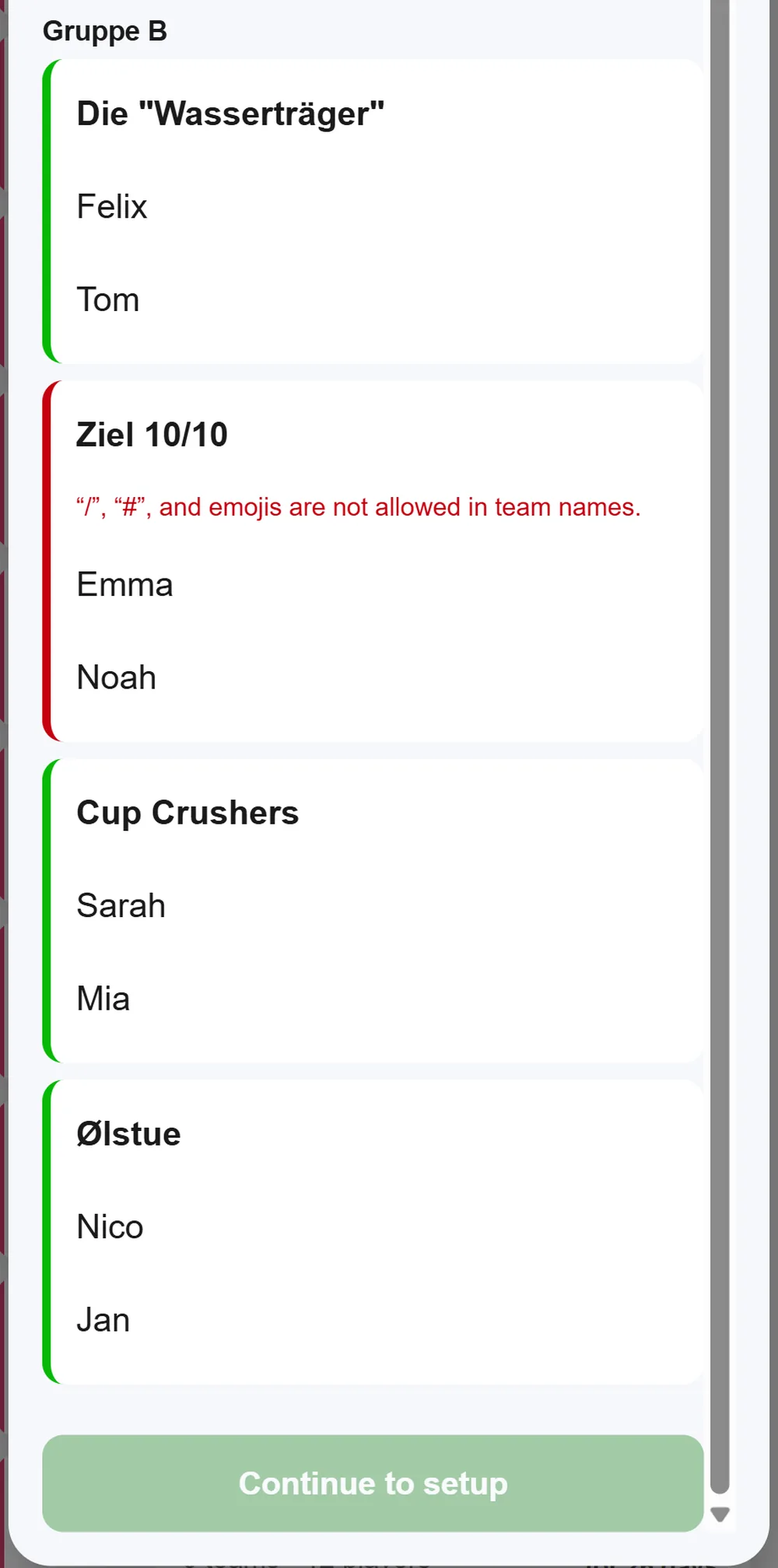
BeerpongMe has stricter rules for names than Tournify. Anything that doesn’t fit is highlighted in red, and “Continue to setup” stays locked until everything is fixed:
- Team names can’t contain “/”, “#” or emojis, and can’t consist of digits only.
- Two teams can’t have the same name. Upper and lower case and accents don’t count, so “Müller” and “muller” are treated as the same.
- Player names have to be unique across the whole tournament. Two players called “Max” in different teams won’t work. Make it “Max K.” and “Max S.”.
Step 4: Create and start
“Continue to setup” opens the normal setup flow with everything already filled in: format, settings, teams and tables. You can still change anything there, as with any other tournament. If you cancel the flow, the app asks whether you want to discard the import.
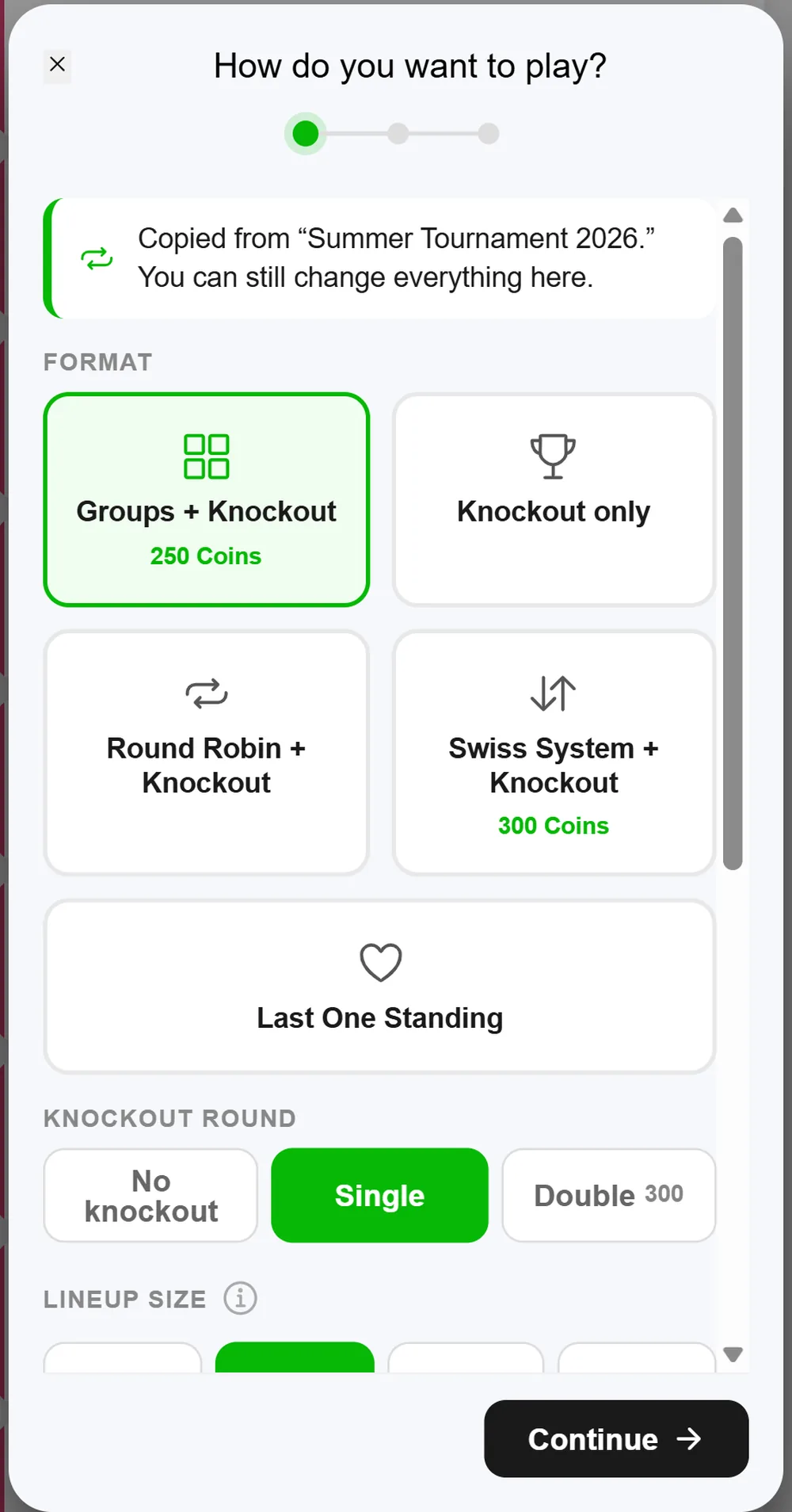
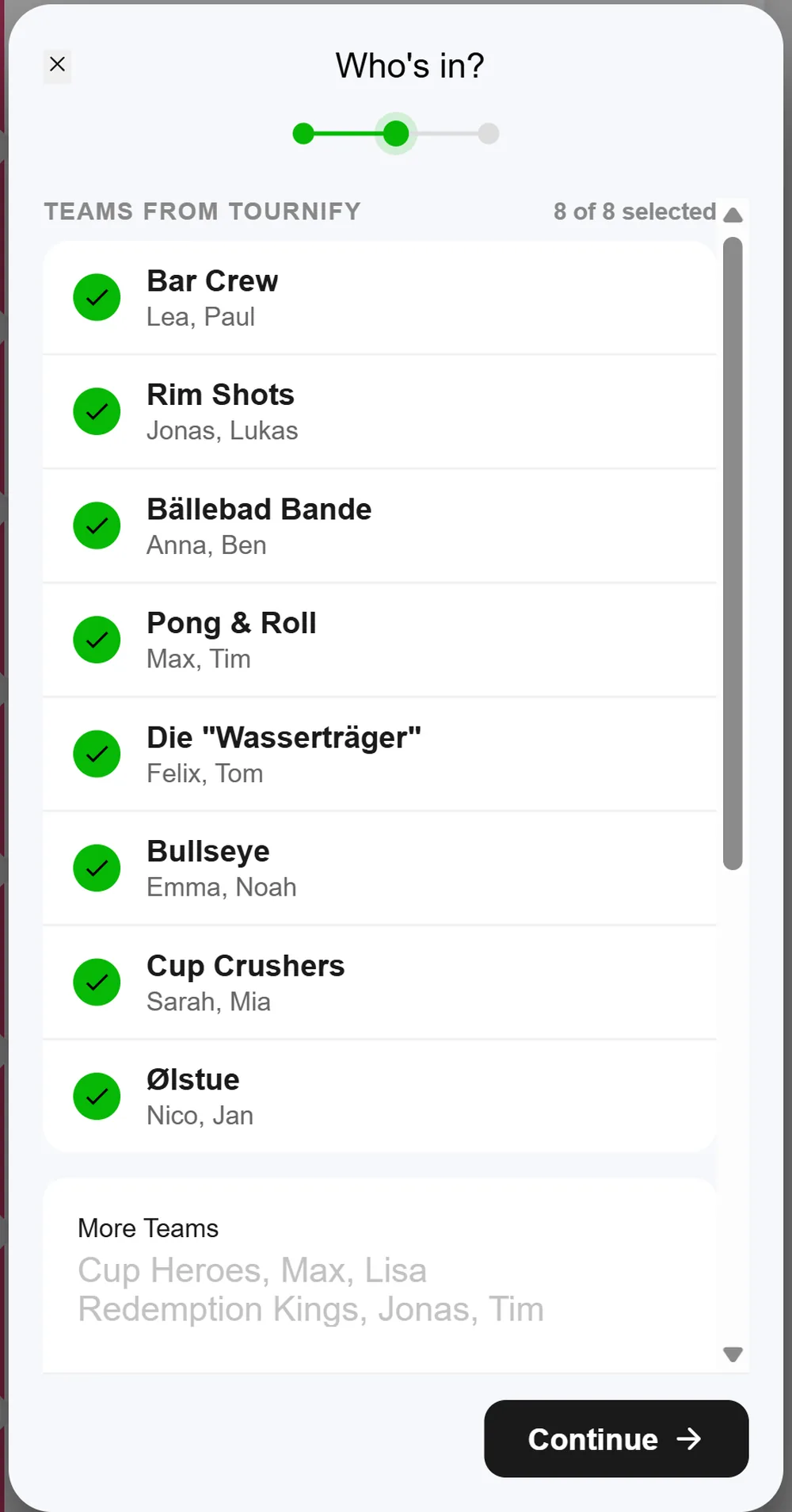
In the second step, the teams are listed under “Teams from Tournify”, all already selected. Below that, you can add more teams.
At the start, BeerpongMe puts the teams into the same groups as in Tournify. The start dialog tells you so. The groups are then called “Group 1”, “Group 2” and so on, even if they were called “Group A” and “Group B” in Tournify. If you added or removed teams between import and start, the assignment no longer fits. BeerpongMe then draws the groups and shows a notice.
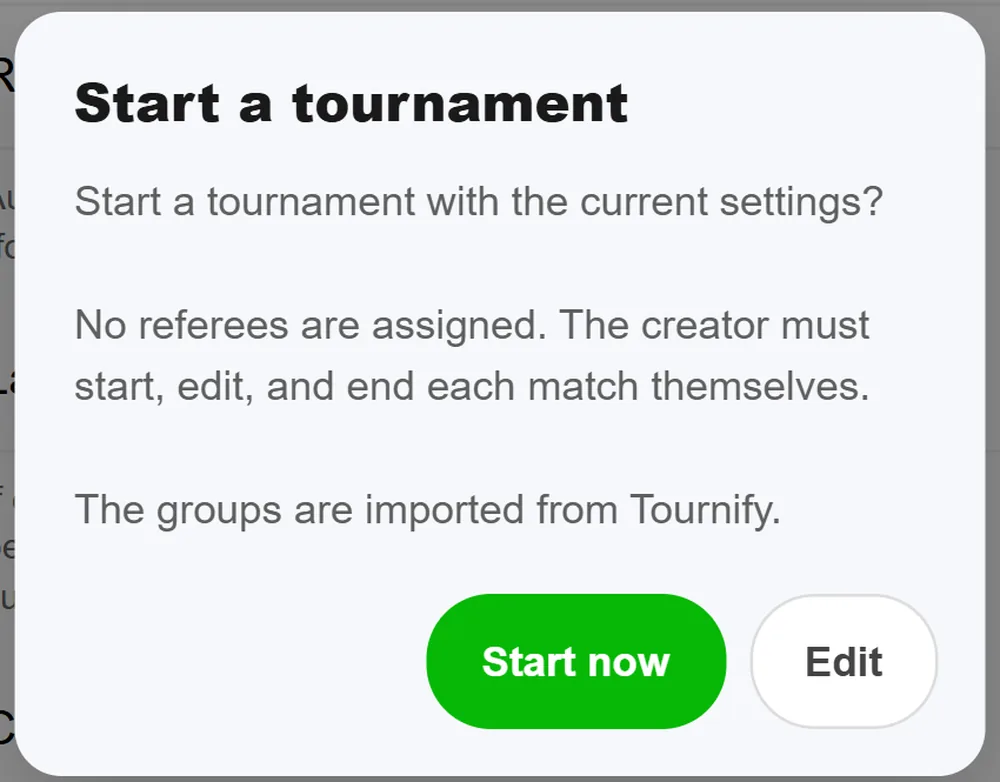
One important point if you choose “Start later”: only the group assignment is kept. Check the number of groups, home and away rounds, the size of the knockout round and the third-place match again in the tournament settings before you start.
What comes after creating it, meaning lineups, rules, costs and the live bracket, is covered in Organize a beer pong tournament.
Limits of the Tournify import
The import is a first stage and will be extended. Today it stops with a message in these cases:
| Case | What you can do |
|---|---|
| The tournament has already started in Tournify (results entered) | Running and finished tournaments are planned for a later version |
| Schedule exported without “Include results” | export again with the option turned on |
| Schedule empty because it wasn’t scheduled | schedule it in Tournify or use the teams export |
| Schedule incomplete | schedule all matches, export again |
| Open slots in groups or knockout | assign all teams first, export again |
| Intermediate round or several group stages | can’t be imported |
| Knockout rounds with home and away legs | can’t be imported |
| Several brackets, e.g. a consolation round | can’t be imported |
| More than home and away rounds in the groups | can’t be imported |
| Groups with fewer than three teams | redistribute in Tournify |
| More than 96 teams | BeerpongMe holds at most 96 teams per tournament |
| Sorting “By group” or “By team” | export again with “By time → field” |
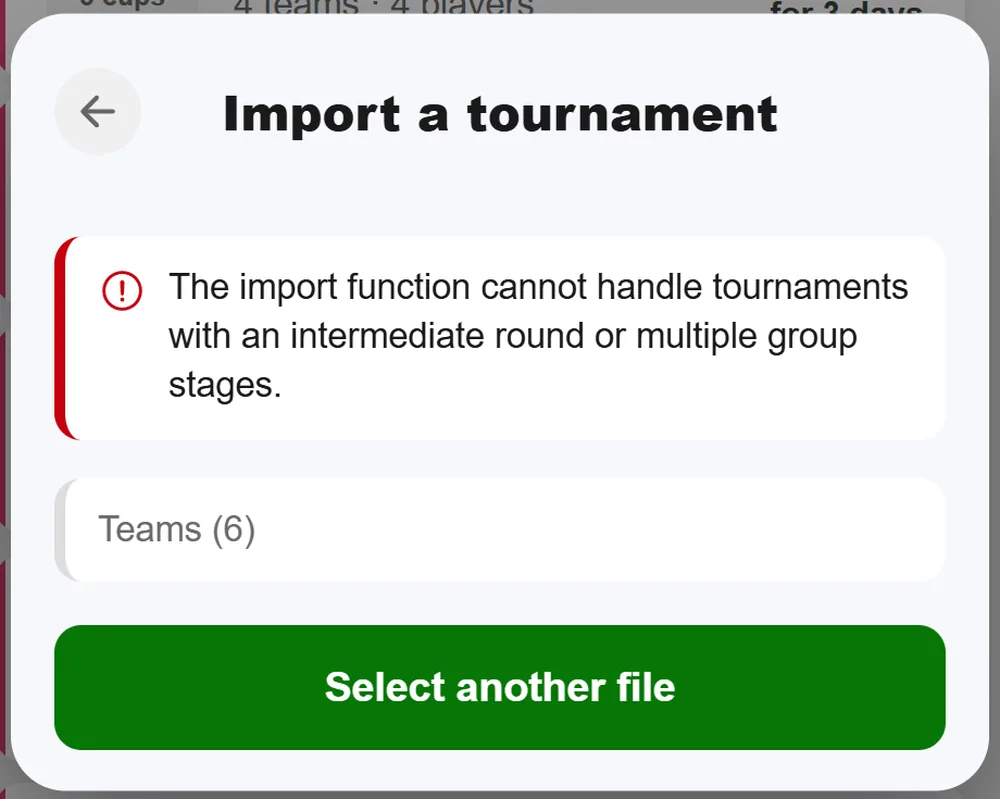
Tournify doesn’t have the Swiss system or double elimination. If you want to play that way, import the teams and switch the format in the setup flow. The group assignment from Tournify is then dropped.
Who the import is for
The import helps if your tournament is already set up in Tournify and you want to play it in BeerpongMe on the night: with live results cup by cup, stats for every player and a bracket that moves forward by itself. If you’re starting from scratch, the normal way is faster, described in Organize a beer pong tournament. And if teams still need to sign up, use tournament registration via a link.
Frequently asked questions
Which tournament tools can BeerpongMe import from?
Currently from Tournify, using the Excel export of the schedule or the teams. More providers are planned, which is why the app already shows a provider selection.
What does the Tournify import bring over?
Teams, players, the format (group stage, round robin, knockout), the group assignment, home and away rounds, the size of the knockout round, the third-place match and the tables. Times, the exact knockout pairings and placement matches are not carried over.
Can I import a Tournify tournament that has already started?
Not yet. The import only takes tournaments with no results entered. Running and finished tournaments are planned for a later version.
Do I have to schedule the tournament in Tournify first?
Only for the schedule export: it contains scheduled matches only. Without a schedule, upload the teams export instead; you then choose the format in BeerpongMe yourself.
Are my Excel files uploaded?
No. BeerpongMe reads the files directly on your device. Only the tournament you create at the end is sent to the server.
What does the import cost?
The import itself is free. The imported tournament costs exactly as much at the start as one created by hand with the same format and number of teams.